Bommanahalli
Open Desk L-Type Workstations in Bommanahalli: Desks for Multi-Monitor Work
Dual and triple monitor setups need depth, span and cable capacity most desks lack. Open desk L-type workstations for technical teams in Bommanahalli.
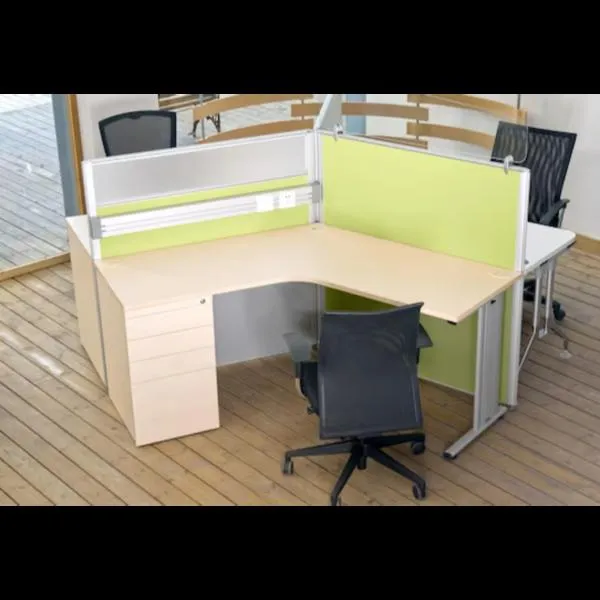
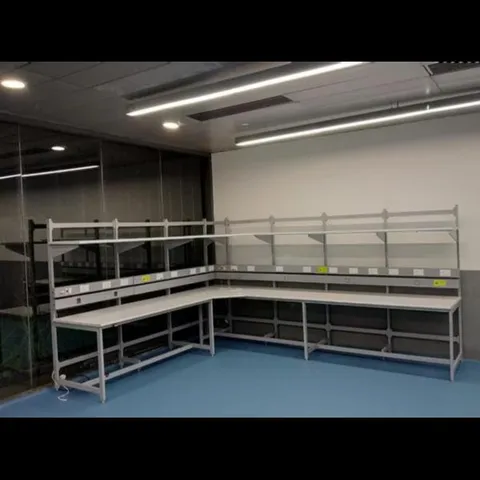
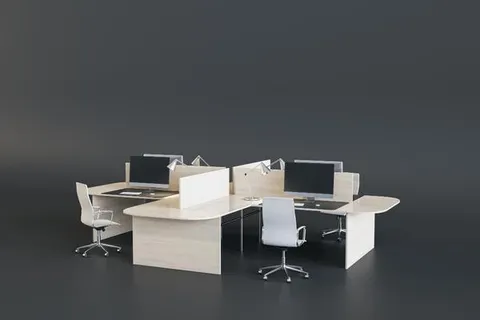
Standard office desks were sized for one screen and a keyboard. A large share of the work happening in Bengaluru offices today involves two or three monitors, a docking station, a laptop parked alongside and a set of peripherals. An open desk L-type workstation is one of the few layouts that genuinely accommodates that, and it does so for a specific geometric reason worth understanding before you buy.
Why depth, not just width, is the constraint
Viewing distance is the problem. A 24-inch monitor wants to sit roughly 600 mm from the eye; a 27-inch monitor wants closer to 700–750 mm. Add the depth of the monitor stand and the keyboard in front, and a 600 mm deep desk simply cannot deliver it — the screen ends up too close, and users compensate by pushing their chair back and reaching for the keyboard, which is the posture that produces shoulder complaints.
Practical minimum depths:
| Setup | Worktop depth |
|---|---|
| Single 24” on a stand | 700 mm |
| Single 27” or dual 24” | 750 mm |
| Dual 27” or triple monitor | 800 mm, or monitor arms |
| Any size, on a clamp-mounted arm | 700 mm (arm recovers the stand depth) |
Monitor arms are the highest-value accessory in this whole category. They remove the stand footprint entirely, allow the screen to be pushed back over the rear edge, and free the desk surface underneath. But they clamp to the worktop edge or pass through a grommet, and that means the worktop and its rear edge have to be specified to take the load. A thin top on an unsupported span will bow under two arms.
What the L shape adds
The return gives you a second zone that does not compete with the monitor zone. In practice that means:
- The laptop lives on the return, docked, without stealing screen real estate
- Reference documents open flat next to the keyboard rather than under it
- The docking station, drives and hub sit off the main surface
- A second person can sit alongside during a review without anyone moving a monitor
For engineering, design, testing and analysis work, that second zone is not a luxury — it is the difference between a desk that supports the task and one that is permanently cluttered.
Cable capacity is the part that fails
A multi-monitor seat carries more cables than a standard seat by a considerable margin: two or three display cables, power for each monitor, a dock power supply, network, peripherals, and a laptop charger. A single 50 mm grommet and a token cable basket will not contain it.
We specify these seats with a continuous rear channel of adequate section along both wings of the L, grommets at both the corner and the return, and a vertical cable spine down one leg to the floor. It is unglamorous and it is the difference between a tidy desk and one with a permanent tangle at the back.
Bommanahalli context
Bommanahalli sits on the Hosur Road corridor with a heavy concentration of technology, product engineering and support operations — precisely the work that runs multiple screens. It is also where our own workshop is located, at #336/10, Hosur Road, near ICICI Bank. If you are within the area, you can come and look at construction quality before ordering rather than choosing from photographs.
Bring your hardware list
Tell us screen sizes, arm requirements and peripheral count and we will size the worktop and cable capacity to match. Call +91 98807 93666 or email info@srirangainterior.com.